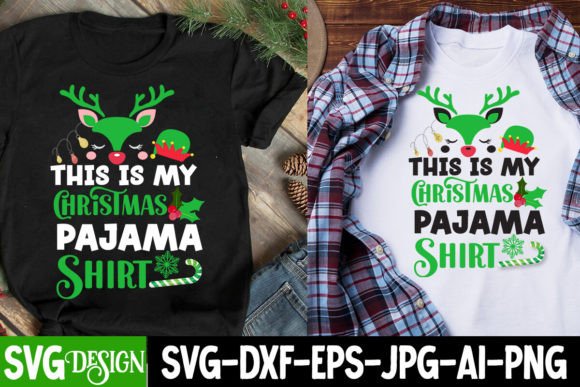
Mastering Your Holiday Crafts with the "This is My Christmas Pajama Shirt" SVG
The holiday season brings a unique blend of nostalgia, creativity, and commercial opportunity. For crafters, small business owners, and DIY enthusiasts, finding the right digital assets can make or break a project. One design that has captured significant attention recently is the "This is My Christmas Pajama Shirt" SVG. This specific graphic, often part of a larger festive collection, offers a playful and relatable aesthetic that resonates with families and gift-givers alike. However, simply downloading a file is not enough to guarantee a professional result. Many creators stumble over technical nuances, licensing misunderstandings, and design mismatches that compromise the final product.
Understanding how to properly utilize this asset—and the broader ecosystem of Christmas SVG bundles it often accompanies—requires more than just clicking "download." It demands an awareness of file compatibility, material selection, and design hierarchy. By addressing common pitfalls head-on, you can elevate your crafting from amateur attempts to polished, market-ready creations.
The Trap of Ignoring File Compatibility
A frequent mistake among beginners is assuming that all vector files are created equal. You might purchase a comprehensive Christmas SVG Bundle expecting seamless integration with your Cricut or Silhouette machine, only to find that certain elements require extensive cleanup. The "This is My Christmas Pajama Shirt" design, while seemingly simple, often contains layered text and intricate details that can confuse cutting software if not properly prepared.
When you overlook the difference between a true SVG (Scalable Vector Graphic) and a PNG (Portable Network Graphics) included in the same bundle, you risk poor cut quality. SVGs are vector-based, meaning they scale infinitely without losing resolution. PNGs, on the other hand, are raster images. If you attempt to cut a PNG without using a specialized print-then-cut feature, your machine will struggle to identify cut lines. This leads to jagged edges, wasted vinyl, and frustration.
Better Approach: Always inspect the file types before starting your project. Use the SVG for cutting vinyl, heat transfer vinyl (HTV), or cardstock. Reserve the high-resolution pink Christmas PNG files for sublimation printing or direct-to-garment (DTG) applications. If you are using a cutting machine, ensure you ungroup layers in your design software to remove any hidden nodes or duplicate paths that often clutter free or bundled files.
Overlooking Color Contrast and Material Choice
Another common oversight involves the visual presentation of the design. The "This is My Christmas Pajama Shirt" SVG is often marketed alongside pink Santa PNG graphics and retro Christmas themes. While the aesthetic is charming, applying a light-colored design onto a dark fabric without proper consideration for opacity can result in a muddy, unreadable image.
Many hobbyists forget that standard HTV is not opaque enough to cover dark garments effectively unless a white underbase is used. Similarly, when using glitter or holographic vinyls, the intricate details of a Christmas ornament SVG or the fine lines in a knitted font can get lost if the material is too thick or textured. This is particularly relevant when working with Buffalo Plaid Christmas clipart or complex patterns where clarity is key.
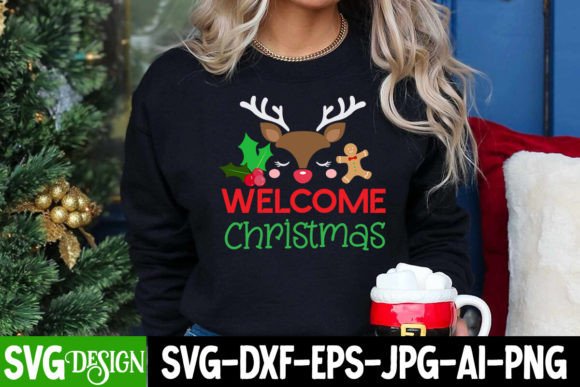
Practical Advice: Test your design on a scrap piece of fabric first. If you are placing a light design on a dark shirt, consider using a white heat transfer layer underneath or switching to a sublimation method if the fabric composition allows. For intricate designs like Christmas reindeer faces SVG, opt for smooth, premium-grade vinyl rather than textured options to preserve detail.
Misunderstanding Licensing and Commercial Use
For entrepreneurs and freelancers, the most critical error is misinterpreting licensing terms. A Christmas SVG bundle may advertise "commercial use," but this term is often ambiguous. Does it allow you to sell physical items? Digital prints? Or both? Some creators mistakenly believe that purchasing a bundle grants them rights to redistribute the digital files themselves, which is almost always prohibited.
Using a Merry Christmas SVG or a Santa Clause SVG on products for sale without verifying the license can lead to takedown notices on platforms like Etsy or Shopify. Furthermore, some bundles include fonts or graphics that have separate licensing requirements. Ignoring these details can jeopardize your business reputation and revenue.
What to Check: Before integrating any Christmas cut files into your product line, read the license agreement thoroughly. Look for specific clauses regarding "physical end products" versus "digital redistribution." If the terms are unclear, contact the creator directly. Keep records of your purchases and licenses as proof of compliance.
Neglecting Design Cohesion in Bundles
It is tempting to buy a massive Christmas PNG bundle because it offers hundreds of elements for a low price. However, quantity does not equal quality or cohesion. A bundle might contain a mix of modern minimalist icons, retro Christmas illustrations, and cartoonish characters. Using these disparate styles together in a single project, such as a family pajama set, can look disjointed and unprofessional.
For instance, pairing a sleek, modern Winter SVG with a whimsical girl reindeer SVG and a vintage Christmas cookie SVG creates visual confusion. Customers and viewers respond better to consistent thematic elements. If you are creating a matching set, stick to one style profile.
Better Strategy: Curate your assets carefully. If you are using the "This is My Christmas Pajama Shirt" SVG, complement it with coordinating elements from the same designer or style family. Look for bundles that specify a cohesive theme, such as "Boho Christmas" or "Retro Holiday," rather than generic assortments. This ensures your final design feels intentional and polished.
Skipping the Weeding and Application Process
Even with the perfect file and material, poor application techniques can ruin a project. Many beginners rush through the weeding process, especially with detailed designs like Christmas split alphabet SVG or monogram elements. Leaving behind small scraps of vinyl or failing to align the design correctly on the garment results in a sloppy finish.
Additionally, incorrect heat press settings are a major culprit in failed projects. Each type of HTV requires specific temperature, pressure, and time settings. Applying a Santa SVG with too much heat can scorch the fabric, while too little heat results in peeling after the first wash.
Key Tips:
- Use good lighting and sharp weeding tools to remove excess material cleanly.
- Always perform a test press to determine the optimal settings for your specific vinyl and fabric combination.
- Use a Teflon sheet or parchment paper to protect your design during pressing.
- Allow the design to cool completely before peeling the carrier sheet, unless the vinyl specifies a "hot peel."
Making Informed Decisions for Better Results
The "This is My Christmas Pajama Shirt" SVG is a versatile and popular choice for holiday crafting, but its potential is only realized through careful execution. By paying attention to file formats, material compatibility, licensing rights, design cohesion, and application techniques, you can avoid common pitfalls and produce high-quality results. Whether you are creating gifts for family or products for your small business, taking these corrective steps ensures your holiday projects are both beautiful and durable. Remember, the goal is not just to complete a craft, but to create something that brings joy and stands the test of time.